Financial planning, funding and valuation
Track business finances.Plan your next move.
See how your business is doing. Test a plan to explore the money you need, the share you keep and what your business could be worth.
Access by invitation.
Inside the workspace
Your business today. Your plans for tomorrow.
Explore real product screens on a sample plan. Your own workspace starts with your figures and assumptions.
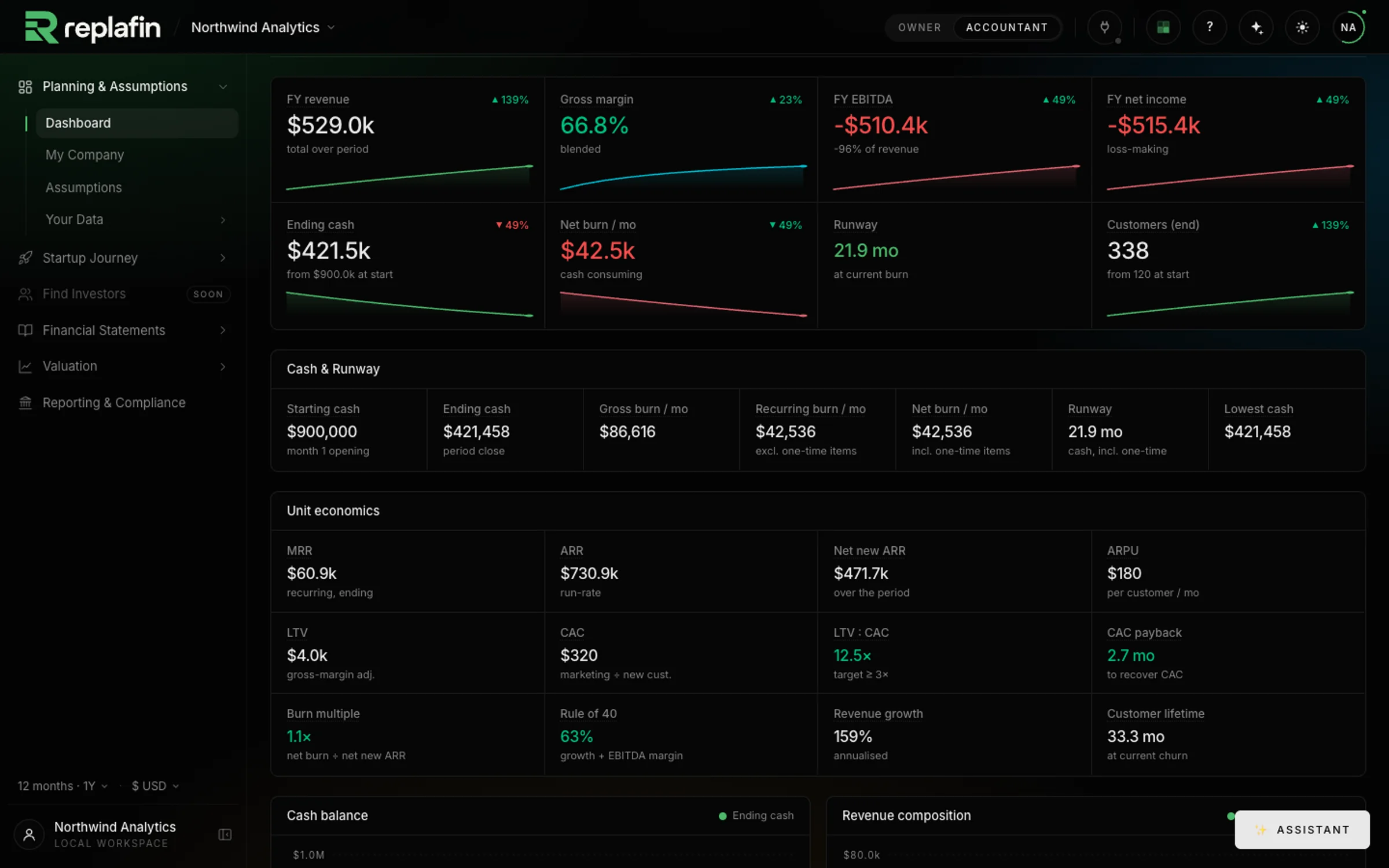
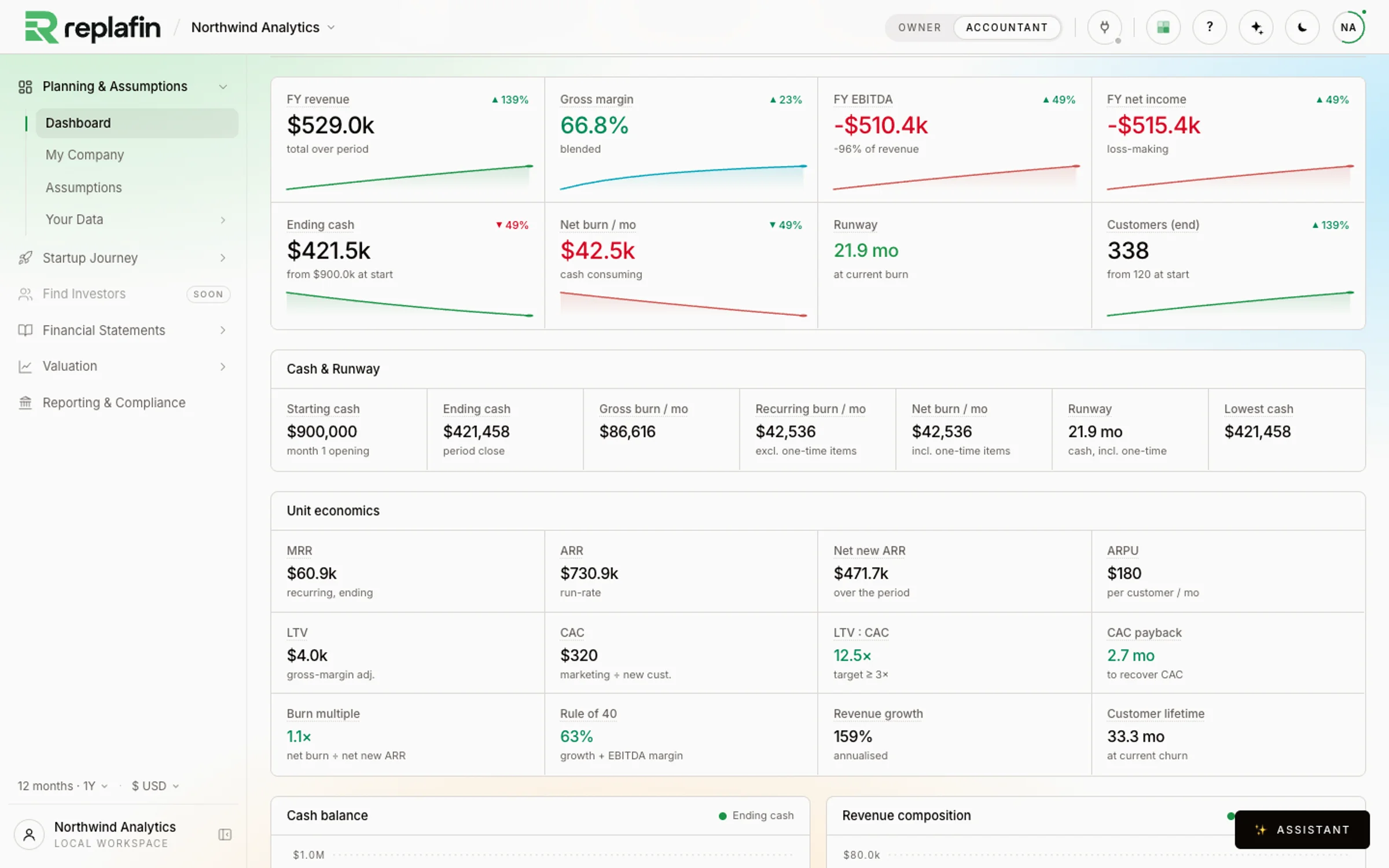
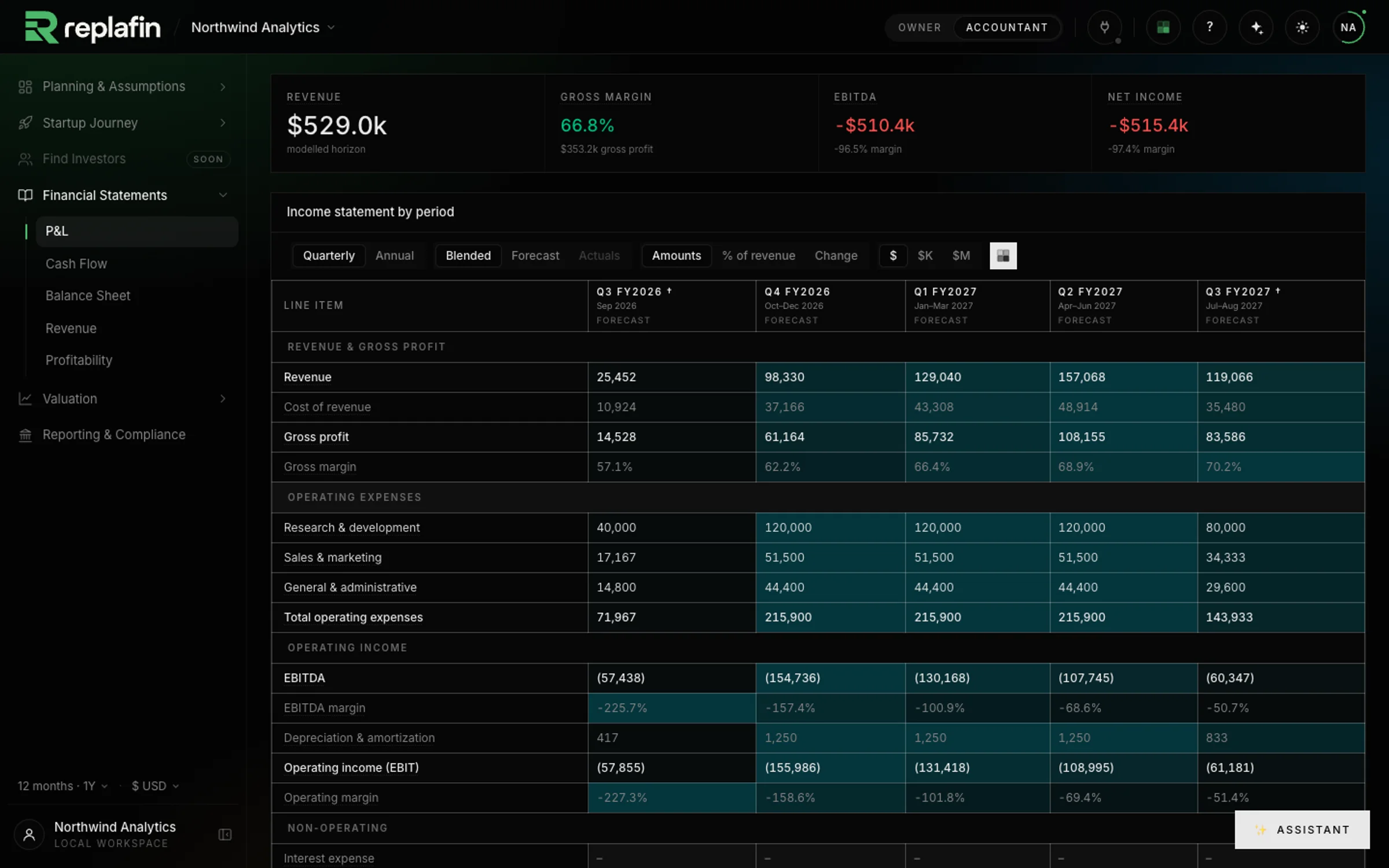
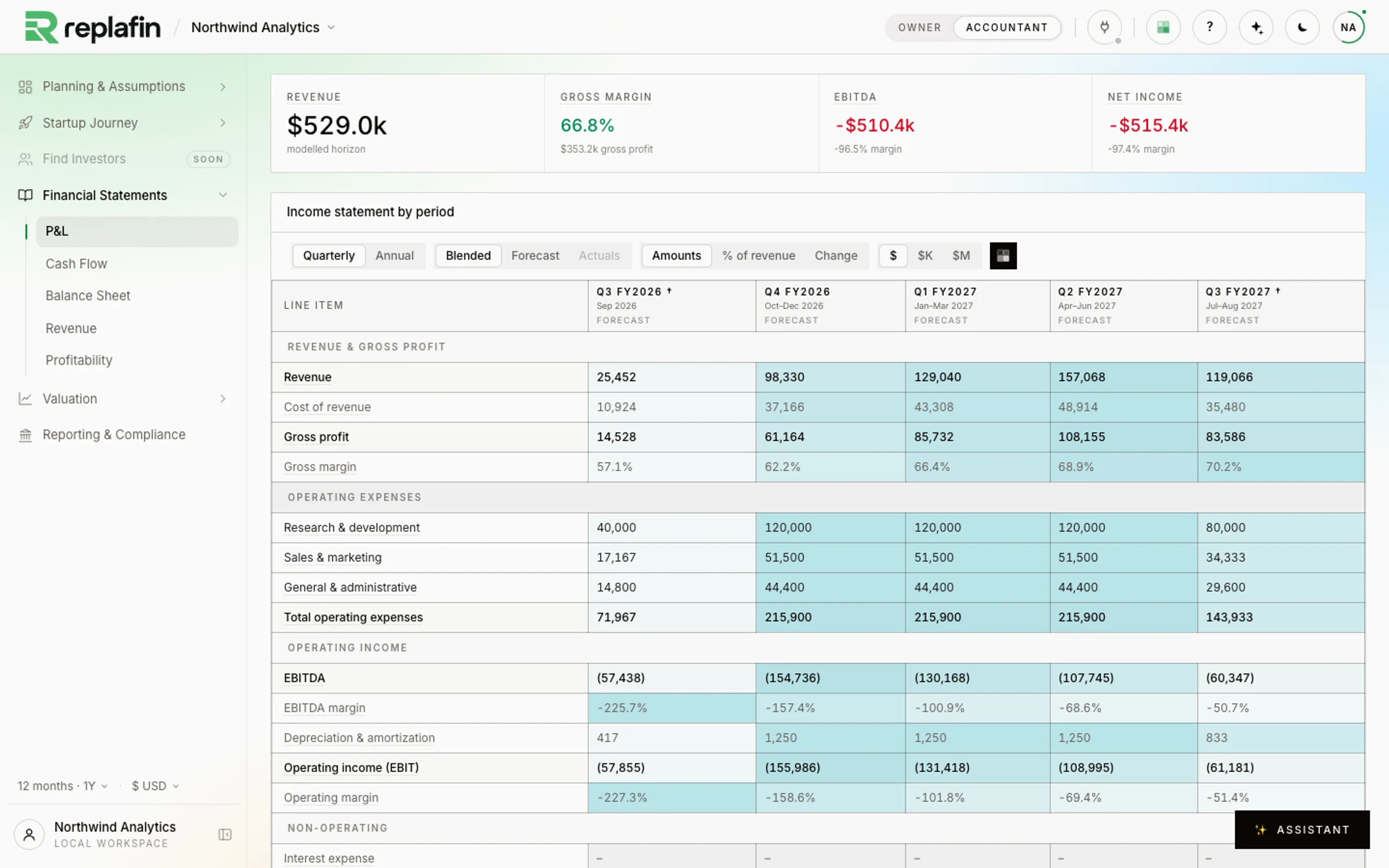
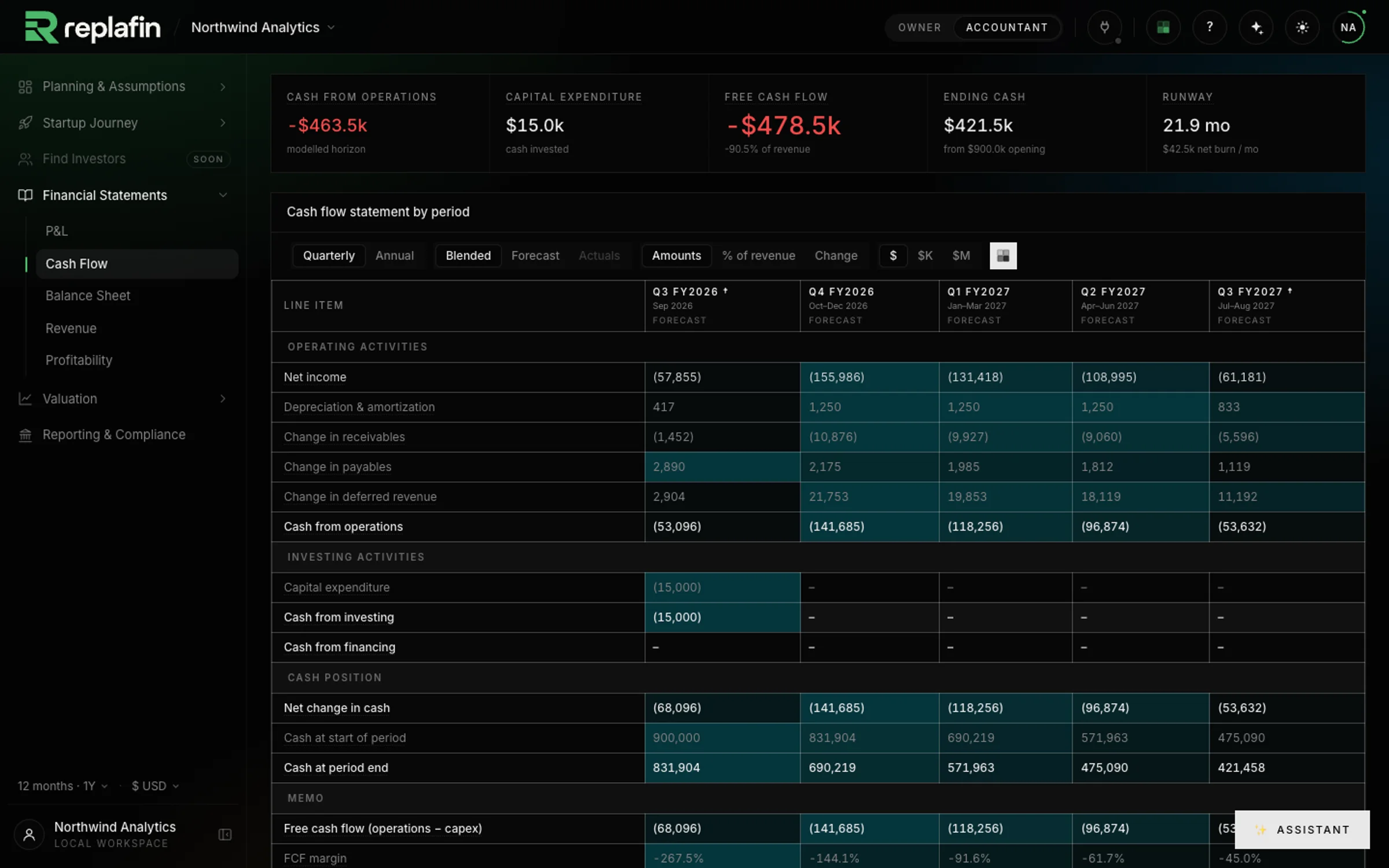
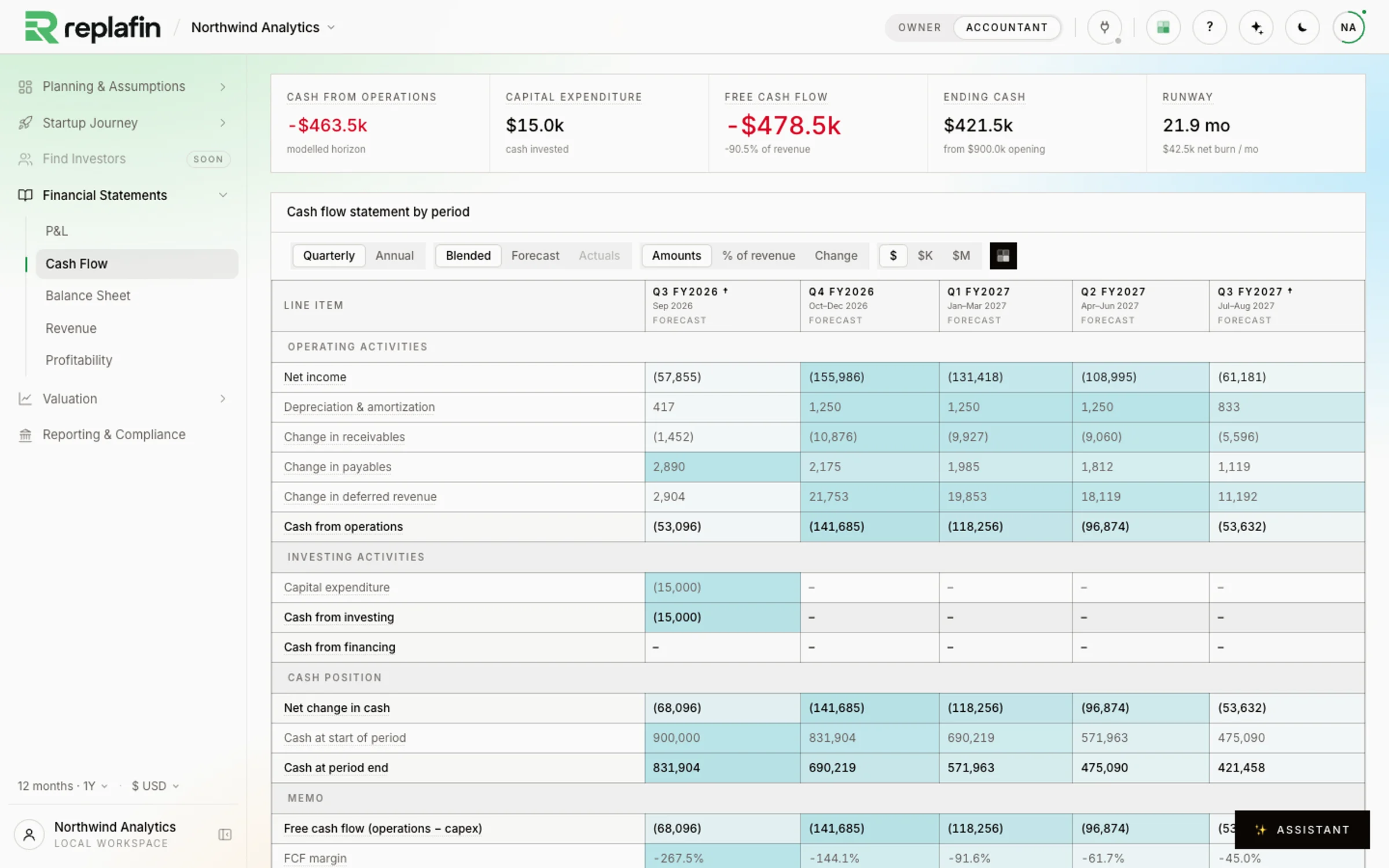
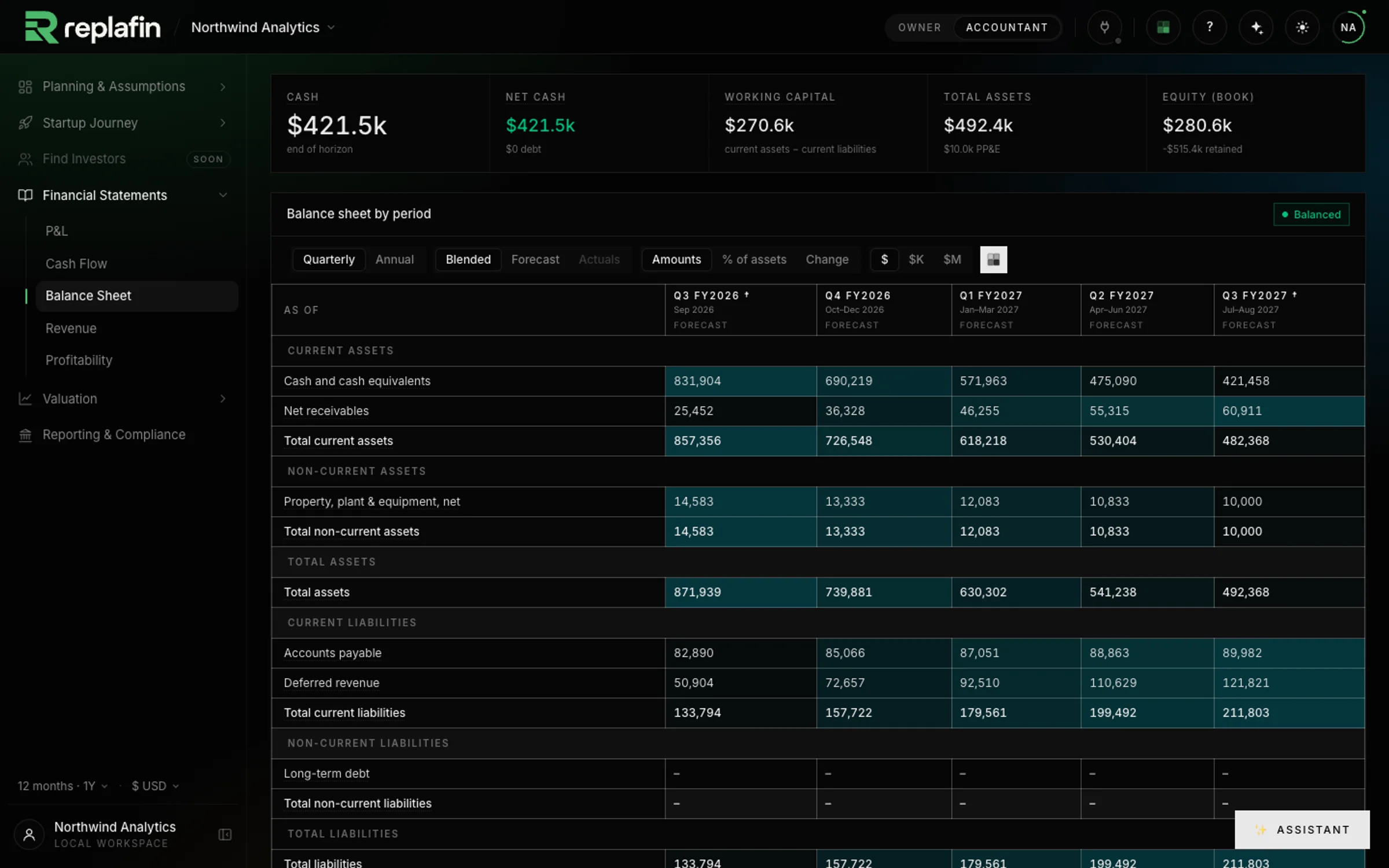
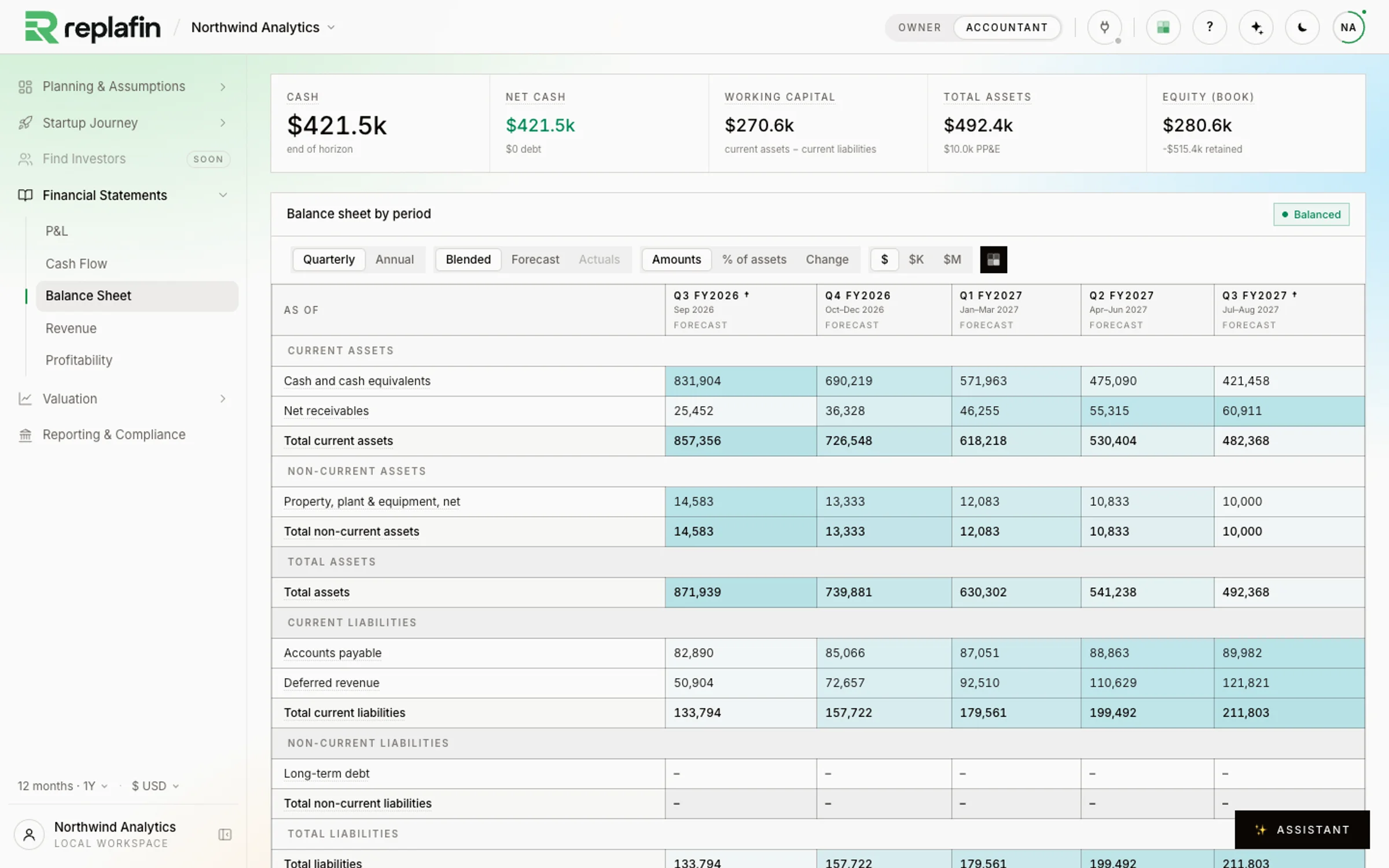
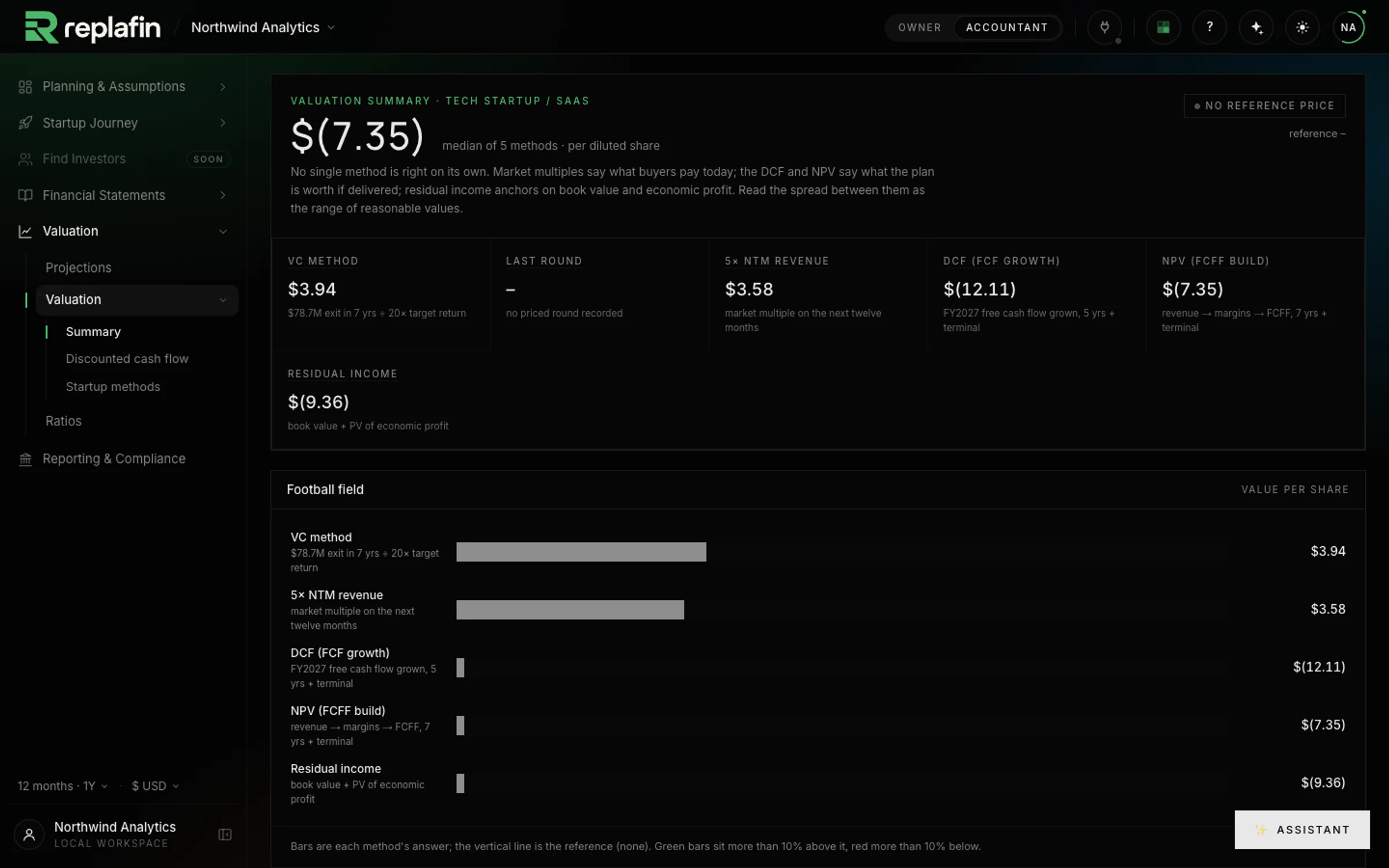
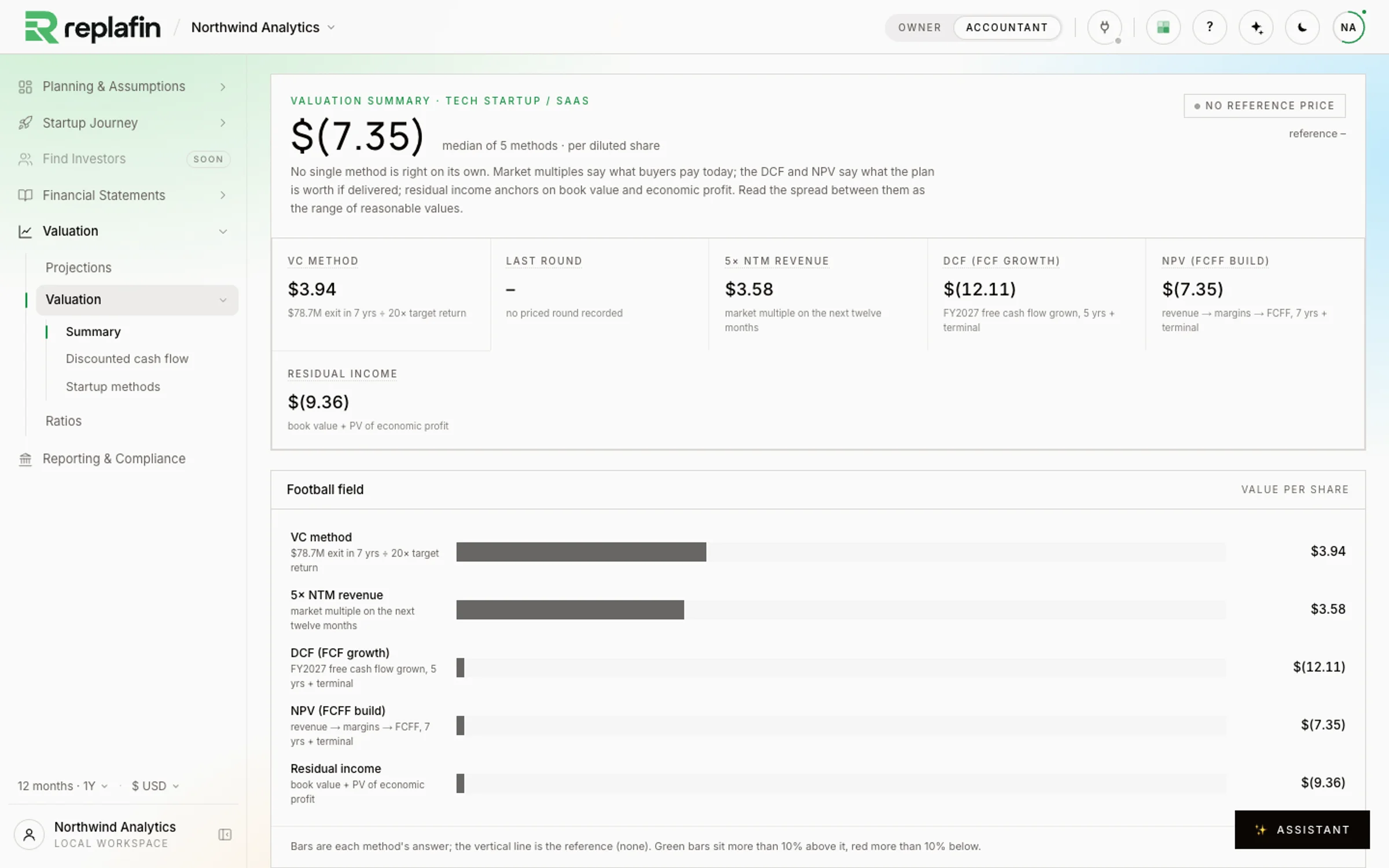
See how the business is doing: sales, profit and cash together, with a first estimate of what the company is worth.
Screens from the workspace itself, on a sample SaaS plan.
From current figures to your next decision
See where you are. Plan what comes next.
For an operating café, an agency, a retailer or a startup: use the books you already keep, then work through what you want to change.
- 01
Bring your current figures
Enter numbers from your accountant, import a CSV or XLSX file, or connect a supported source. Check the months and where each number belongs.
- 02
Build your next plan
Add the sales, people, rent and purchases you expect. Try a change, then adjust the numbers as you learn more.
- 03
Understand the results
See what you earn, spend and keep each month. Explore the money your plan needs and what your business could be worth. Share reports to review together.
Start with your books
Start with the numbers you have.
Use figures from your accountant, import a spreadsheet or connect a supported account.
- Import a fileCSV / XLSX
- StripePayments
- MercuryBank
- BrexCards
- Your bank (via Plaid)Bank
- QuickBooks OnlineAccounting
- XeroAccounting
- Otto HRPayroll
What it covers
One connected view of your business.
Your figures, plans and decisions, connected in one workspace.
Your figures and your plan
Plan sales, people and spending alongside the numbers from your books.
Explore your numbersHow is the business doing?
Compare your profit and cash with what you planned.
Explore what it adds up toWhat is the business worth?
See how expected sales, costs and growth affect your value estimate.
Explore what it's worthWhat if you bring in a partner?
Explore how bringing in investment changes your ownership share.
Explore raising moneyWhat do we share and review?
Prepare reports to review with your accountant, partners or investors.
Explore tax & filingOne example: a second location
Can the business afford its next step?
Use your current figures to plan a second location. See what it could cost and how much funding you may need.
See the workspace screens01Start with your figures
Bring sales, costs, cash and loans from your books.
02Plan the new location
Add expected sales, rent, staff and opening costs.
03Check the cash
Test lower sales and see how your funding needs change.
Illustrative conversation with example inputs. Results depend on your plan.
Help with the model
Ask a question. Review the assumptions.
Ask the assistant to explain a figure or help with a change to the plan. It reads the current model and proposes edits for you to review before applying them. Check the assumptions and results with your accountant or adviser before making a decision.
One workspace
Keep your accountant in the conversation.
You know the business. Your accountant helps make sense of the books. Use the same model to discuss the plan, its assumptions and what to do next.
- Owner view
- Work through sales, staffing, spending and business decisions in plain language.
- Accountant view
- Review the same figures as detailed statements and tables, with the books and filing tools close by.
- Reports for the next conversation
- Export reports for your accountant, partners or board. Include the plan behind the figures in the discussion.
Marketplace · Planned for businesses
Find investors with the figures attached.Share the numbers behind your plans.
Explore the investor side through sample listings. Live marketplace access is for approved firms, and deals happen outside Replafin.
- Listings
- Startup, growth, for sale, borrowing. The page fits the company; investors filter to the kind they want.
- Order book
- Every bid in the open, best first. Blind bids for firms that prefer it.
- Threads
- One conversation per firm and listing, with contact details on both sides.
- Directory
- Browse approved investors by cheque size, stage, sector and style, with matches on top.
Questions
Before you start
A few things to know before you begin.
Is Replafin only for startups?
No. It also works for cafés, retailers, agencies and marketplaces, with templates matched to how each business earns money.
Can I use my accountant's figures?
Yes. Enter monthly totals, import a CSV or XLSX, or use a supported accounting connection. Review the dates and categories with your accountant.
Do I need to know financial modeling?
Start with your sales, team, costs and cash. The Owner view guides the inputs, while the Accountant view shows the detailed statements.
Can I see what my business could be worth?
Yes. Compare valuation estimates based on your plan. Review the assumptions with your advisers; an estimate is not a promised sale price.
Can I review the plan with my accountant?
Yes. Export statements and reports to share with your accountant, co-founder or investors, along with the assumptions behind the numbers.
More about features, integrations and pricing.
Understand your business today.Plan what comes next.
Start with the figures you have. Build a plan you can explain, understand its funding needs and explore what the business is worth. Request an invitation to your own workspace.